
Best practice · Marketplace onboarding
Onboarding that adapts to why people came
A marketplace onboarding should ask for the least it needs, at the moment it makes sense to the person. This is how we applied that principle to a large used-car marketplace in Latin America.
Permissions, identity, intent, vehicle data and financing, reorganized into a first experience that adapts to why each person came.



Key results
What changed in the funnel
~2x
Intent to sell
Nearly twice as many people started the sell flow.
~12 pts
Onboarding completion
From about two in three people to about three in four.
~2x
Tracking opt-in
Roughly twice as many accepted, with a reason shown first.
Observed before/after in product analytics, comparing a multi-month baseline with the first month after launch. Not an A/B test: we can’t isolate how much the redesign contributed.
The problem
One front door for every intent
People open a multi-intent marketplace for different reasons: to sell a car, buy one, trade one in, get financing, or just look around. The onboarding we started from treated all of them the same: one fixed sequence of permission prompts, sign-up and profile questions, ordered by the org chart rather than by the user.
Every internal team had a legitimate ask at that first moment. Together they built a front door that asked for everything before showing anything. At baseline, roughly one in three people never finished, about one in seven accepted tracking, and only around four in ten started a sale.
The approach
Order asks by trust cost, not by team
We stopped ordering asks by who wanted them and started ordering them by how much trust each one costs the user. Cheap and reversible first, effortful and sensitive last. Four phases, in sequence.
Access
Device permissions, only when a feature the person recognizes needs them.
AvoidsPremature system prompts
Identity
Create or recover an account when it preserves progress or brings something back.
AvoidsRegistration without motivation
Relevance
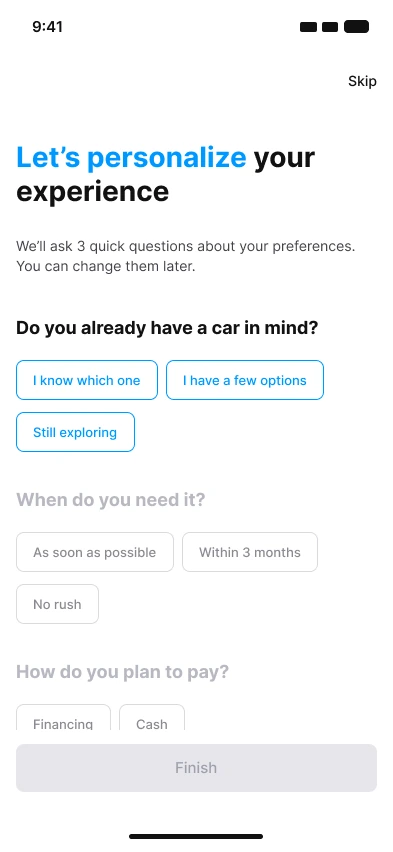
Ask intent, then just enough personalization to assemble a useful first experience.
AvoidsGeneric onboarding
Activation
Vehicle details, documents and financing, only inside an active journey.
AvoidsDocuments without context
A single intent question then branches the flow, each path with its own copy and next step:
Key design decisions
Four decisions, and why
Explain a permission before the system asks for it
A short, benefit-led screen comes first: what you get, and that you can turn it off later. The native prompt is a one-shot. If people deny it, you rarely get a second chance, so it has to arrive with a reason.
The system prompt can arrive later, but it arrives with a reason instead of competing for trust at the start.
Tie identification to value
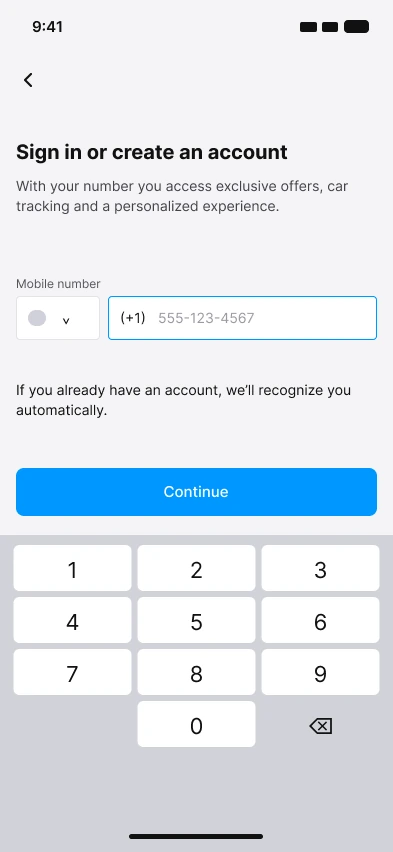
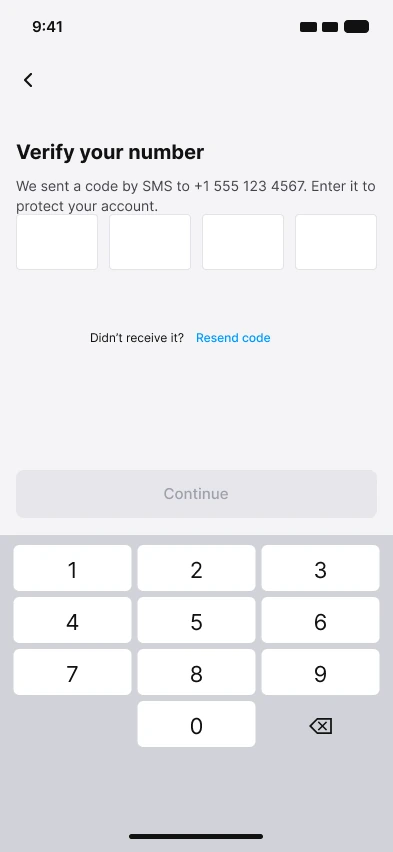
Ask for an account when it saves progress or recovers something, not as a toll booth at the door. Phone number first, existing accounts recognized automatically, then name. Everything else can wait.
Identification is sequenced around a useful outcome, not demanded up front.
Recover before you ask
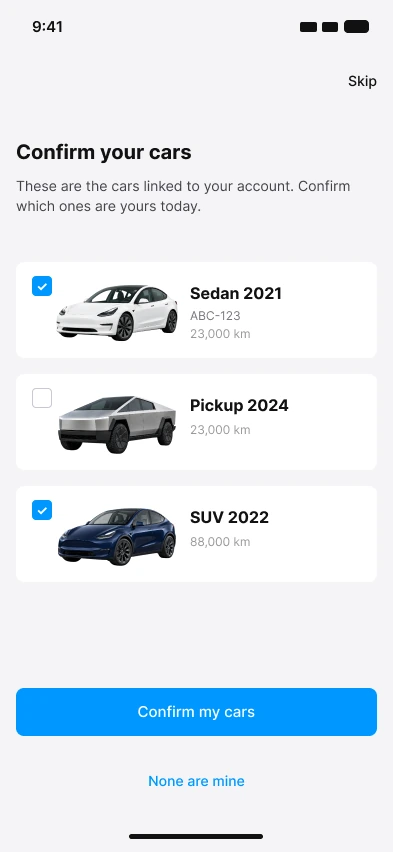
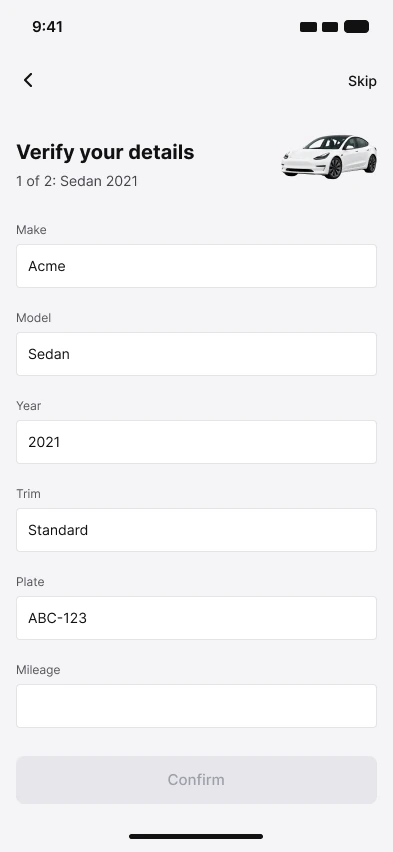
Look up what the system already knows about the person, such as vehicles linked to their account, and let them confirm or correct it. Re-asking known data is the quickest way to lose trust. Recovered data needs a visible way out, because it is sometimes wrong.
Manual entry stays as the fallback, and a document scan is a shortcut inside the same flow, not a separate one.
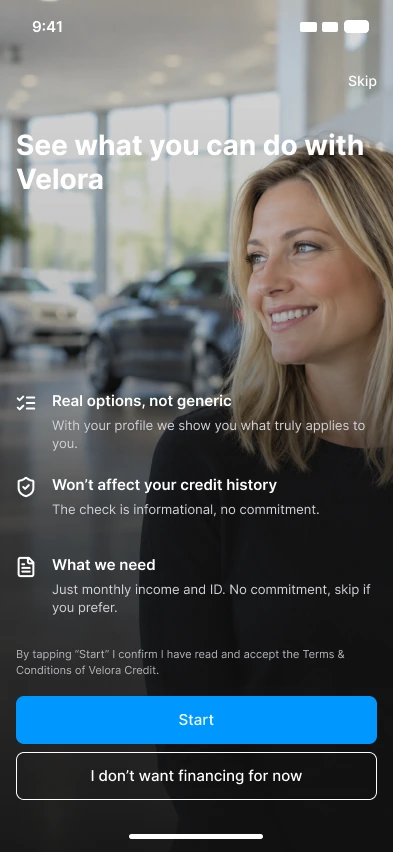
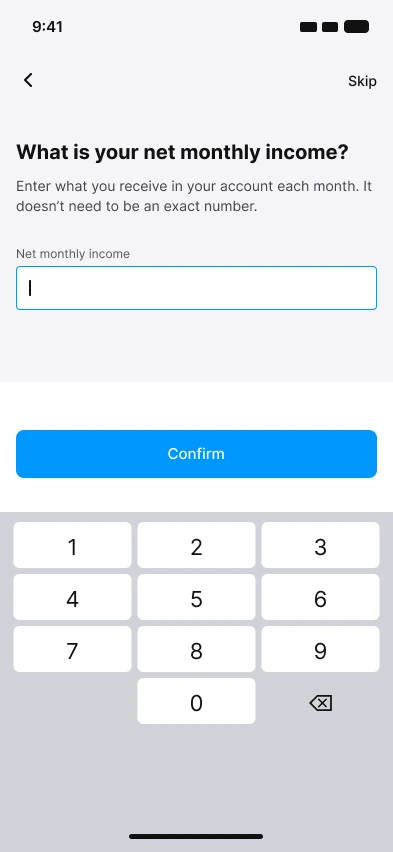
Introduce heavy asks inside an active journey
Income, ID and credit checks appear only once intent is clear. The same offer is framed differently for buyers, trade-ins and browsers, always with a “not now” option and a plain statement of what the check does and doesn’t affect.
More screens inside the journey, but each one is relevant to the goal the person already chose.

The flow
Twelve screens, one adaptive path
Shared steps for everyone, separate paths for different goals. Scroll to see the whole flow.

Validation
What testing told us
We tested a prototype with eight participants and reviewed it with product, growth and data. Three issues came up repeatedly.
Identification came too early
People hit a sign-up wall before they could see why it was worth it.
Related: decision 02
Permissions lacked context
Participants didn’t understand why the app was asking for access.
Related: decision 01
Auto-filled data created doubt
Recovered vehicle data sometimes needed correcting, and people hesitated to trust it.
Related: decision 03
Results
Before and after, rounded
Funnel
Onboarding completion
~12 pts
Identified
a few pts
Permissions
Notifications opt-in
a few pts
Tracking opt-in
~2x
Location opt-in
≈ flat
Value actions
Started a sale
~2x
Started a purchase
≈ flat
Limits of the measurement
Compared against a multi-month baseline, in product analytics. Cohort definitions, exposure and attribution windows were not independently controlled, and other releases may have contributed. Small shifts, like notifications and location, are within what we’d expect from noise. We did not measure revenue, completed transactions or acquisition cost, so we make no claims about them.
What you can apply
Five rules to take with you
- 01
Rank every ask by trust cost, not by stakeholder
Cheap and reversible first, effortful and sensitive last.
- 02
Put a reason before every system prompt
One screen, one benefit, one line on how to undo it.
- 03
Ask intent early and branch
Shared steps for everyone, separate paths for different goals.
- 04
Recover before you ask
Pre-fill from what you know, make it easy to correct, keep a manual fallback.
- 05
Measure per step and per path
Track drop-off by segment, and run a controlled test when you can.
Work with UXAR
If your onboarding asks for everything at once, we can help you sequence it.
Tell us what your users are trying to do.